Organize your closet.Shop your match.
Nomney Virtual Closet turns the clothes you already own into outfit ideas — then finds the missing piece at a verified boutique near you.
- AI outfit matching
- Local boutiques
- Verified sellers
How it works
Three steps, one closet
From the clothes on your rail to the piece that completes the look.
- 1
Add your clothes
Snap a photo, look up a product, or enter it by hand. Each piece lands in your wardrobe tagged by category, colour, and size.
- 2
Build the outfit
Pick a top, bottom, and shoes in Style Me — or hit Shuffle and let the app pair them. Save the looks you want to wear.
- 3
Shop the gap
Missing a piece? Browse verified stores whose inventory matches your closet, and buy it without leaving the app.
Every piece you own, in your pocket
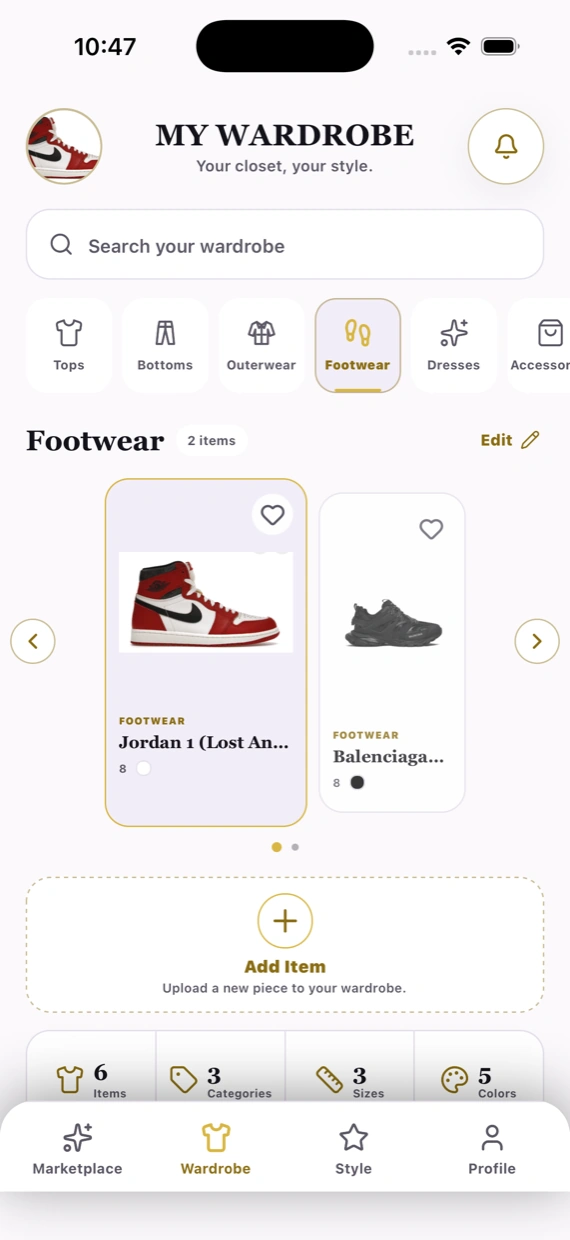
Add clothing with a photo, a product lookup, or by hand, and Nomney files it under Tops, Bottoms, Outerwear, Footwear, Dresses, or Accessories — with colour and size on every item.
- Browse by category or search your whole closet
- See your totals at a glance: items, categories, sizes, colours
- Edit, favourite, and reorganise any time
Build a look from what you already have
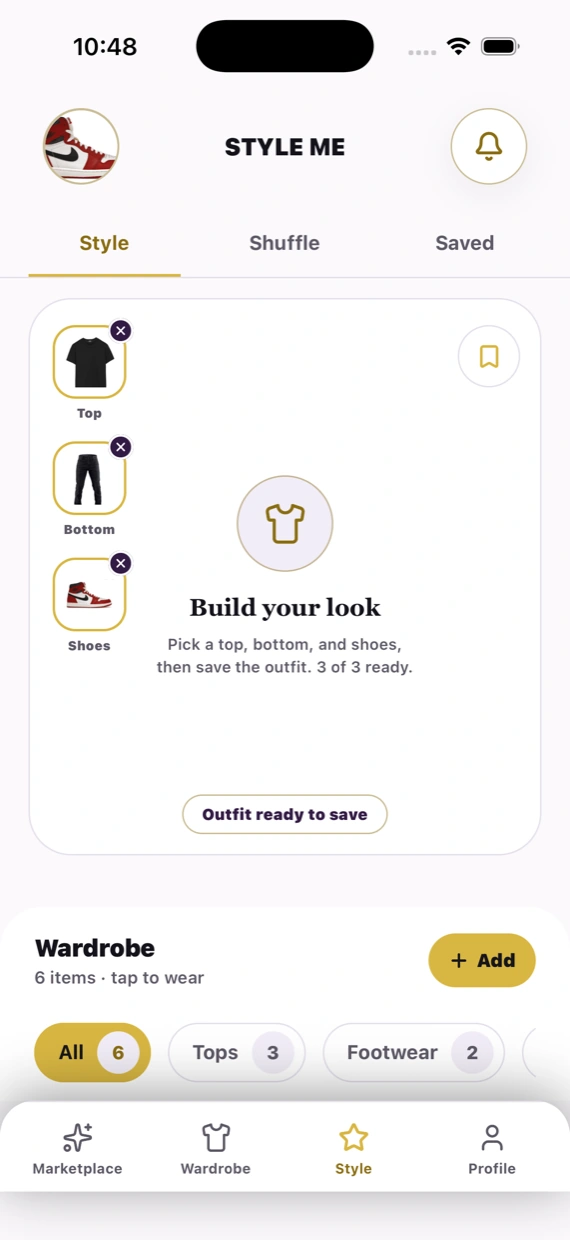
Pick a top, a bottom, and shoes and Style Me assembles the outfit. Hit Shuffle when you want the app to choose, and keep the combinations that work under Saved.
- Outfit builder with top, bottom, and shoes
- Shuffle for suggestions drawn from your own closet
- Save looks and pull them back up when you need them
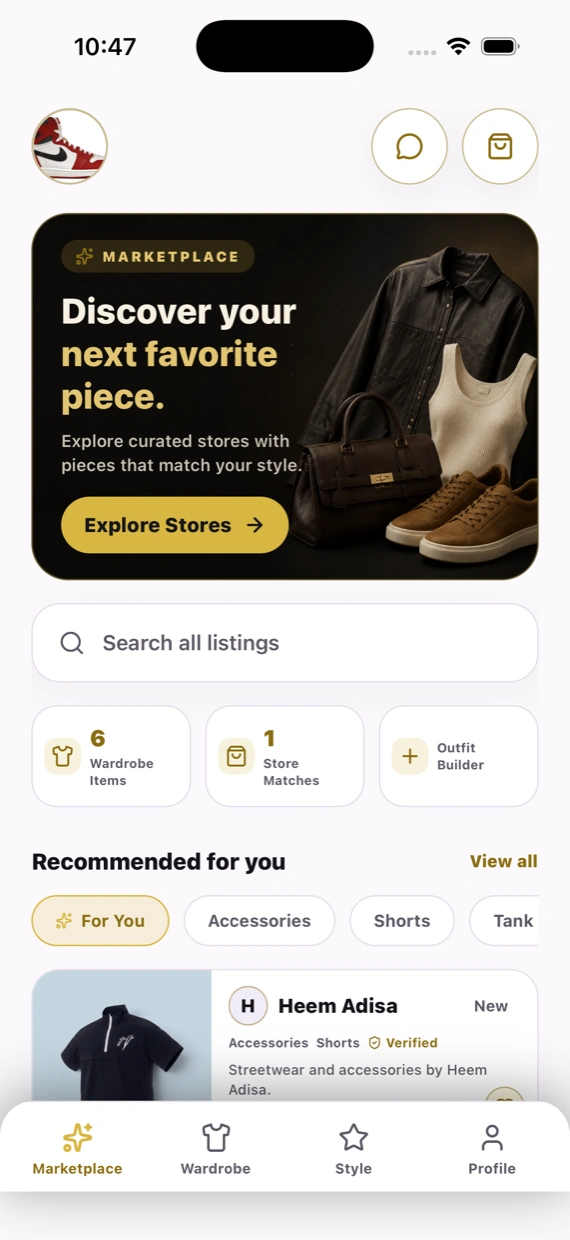
Shop verified stores that match your closet
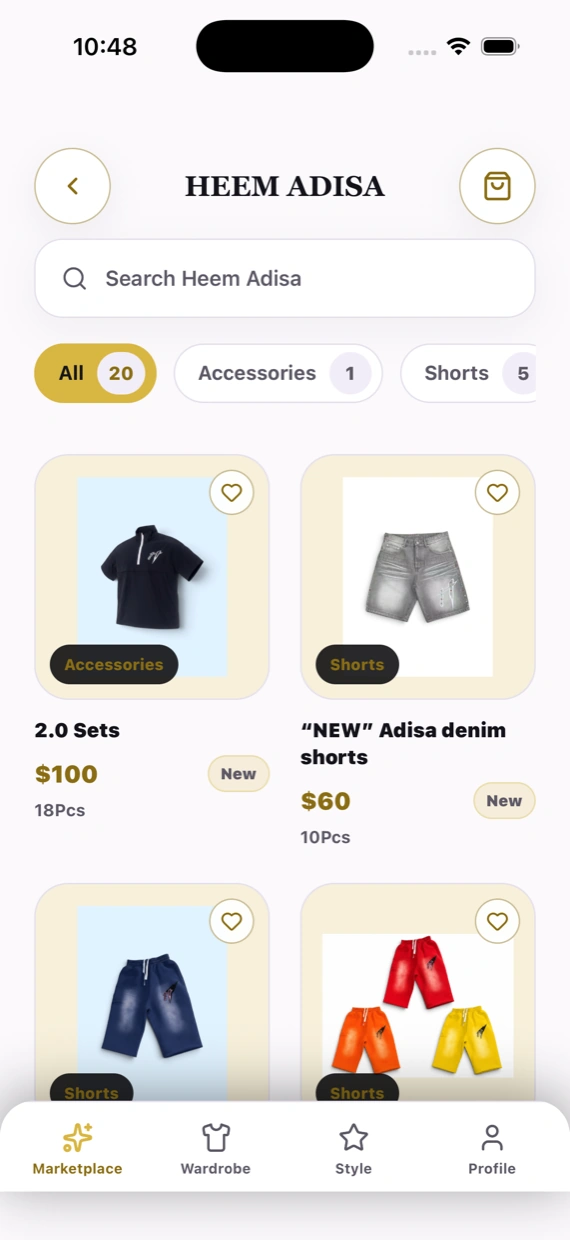
Browse listings from verified stores, filtered by the categories you actually wear. Every store shows what it stocks, how many pieces are live, and whether it's been verified.
- Verified store profiles with published inventory
- Search all listings or shop by category
- Message sellers, make offers, and check out in the app
For stores
Put your rail in front of local shoppers
Nomney matches your inventory to closets nearby — so the people browsing already want what you stock.
Verified store profile
Apply once, get verified, and publish a storefront shoppers can trust.
Inventory & orders
List items, manage stock, and work orders from placed through to shipped.
Direct messaging
Answer questions, negotiate offers, and close the sale in one thread.
Performance insight
See what shoppers view, save, and buy so you can stock what moves.
Store accounts are created inside the app — download it and choose “Store owner” when you sign up.
FAQ
Questions, answered
What does Nomney Virtual Closet cost?
Building your closet and getting outfit suggestions is free. You only pay when you buy something from a store in the marketplace.
Do I need to photograph everything I own?
No. Photos give the best results, but you can also add a piece by looking up the product or typing in the details by hand — and you can start with a handful of items and grow from there.
How do outfit suggestions work?
In Style Me you pick a top, a bottom, and shoes from your own wardrobe and save the result. Shuffle pairs pieces for you, and everything you keep lands under Saved. Style preferences are optional — skip them and you'll see everything.
Which stores show up in the marketplace?
Only stores that have completed verification and published inventory. Each store card shows its categories, how many pieces are live, and a Verified badge. Listings can be reported, and sellers blocked, from inside the app.
What happens to my clothing photos?
They stay tied to your account and power your closet and outfit suggestions. You can delete individual items, or your whole account, from Settings in the app.
Is it on both iPhone and Android?
Yes — Nomney Virtual Closet is built for iOS and Android, and your closet syncs to your account on either one.
Still stuck? nomneyvirtualcloset@gmail.com
Your closet is already full.
Start using it.
Download Nomney Virtual Closet and turn the pieces you own into outfits you actually wear.
Launching soon on iOS and Android.